
Before you start
- You need to be able to log in to portal.strongroom.ai.
- If you’ve forgotten your password and can’t log in, see How do I reset my StrongER Cloud password? instead.
Steps
- Log in to portal.strongroom.ai.
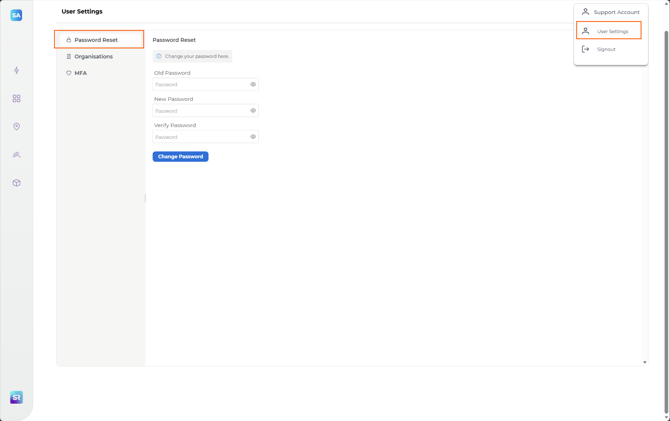
- Select your profile name in the top right corner.
- Select User Settings.
- Select Password Reset.
- Follow the on-screen prompts to set your new password.
Check it worked
Log out, then log back in using your new password.
Still having issues?
If you can’t change your password, contact our support team and we’ll help you get back in.